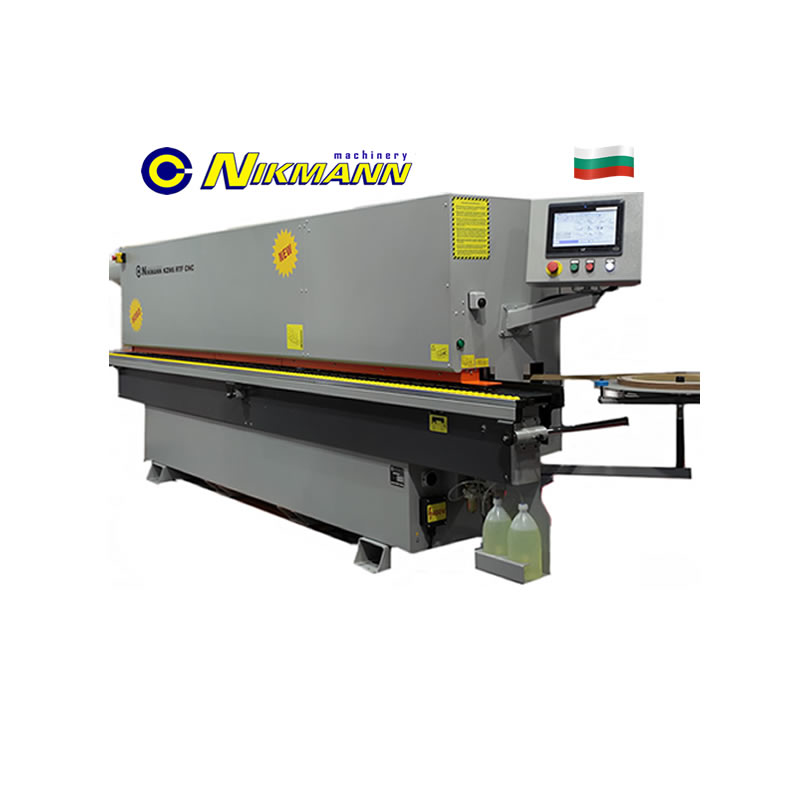
Why Glue Pot Temperature is Important on Edgebanders?
The glue pot temperature is one of the most critical factors in achieving strong, consistent, and reliable edge bonding.
Adhesion Quality – Correct temperature ensures the glue flows properly and penetrates the edge and panel surface, creating a strong bond.
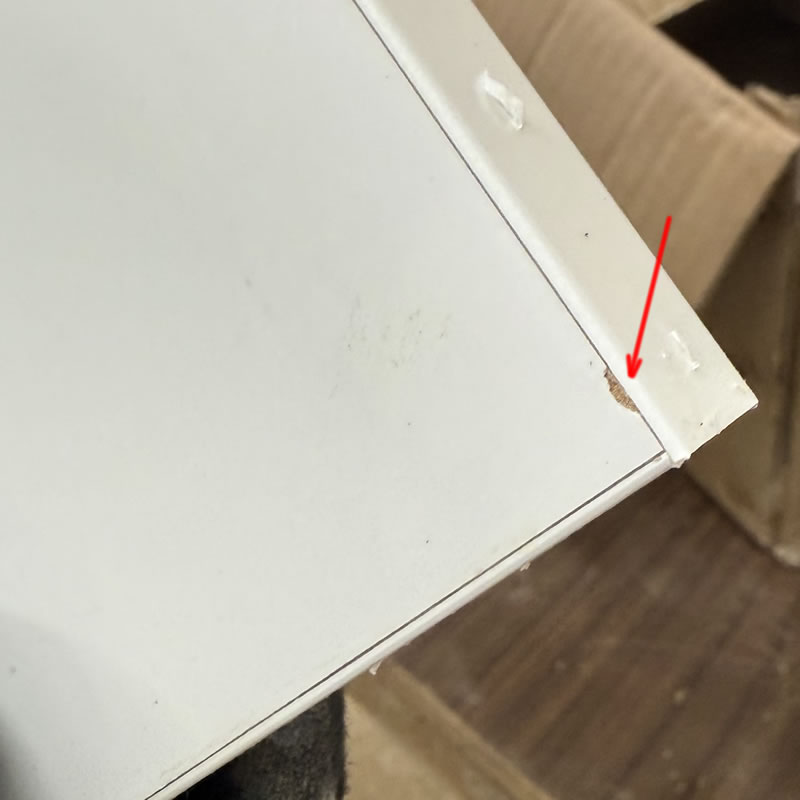
Prevents Glue Degradation – If the glue is overheated, it can burn, darken, or lose its bonding properties, leading to weak joints and frequent cleaning issues.
Avoids Poor Bonding – If the temperature is too low, the glue will not spread evenly, causing gaps, weak adhesion, or panels delaminating over time.
Efficiency & Finish – Stable glue temperature helps maintain consistent glue viscosity, reducing waste, avoiding rework, and producing a cleaner finish.
Extends Machine Life – Proper temperature control reduces glue build-up and carbonisation in the pot, lowering maintenance needs and extending component life.
⚠️ In short: The right glue pot temperature guarantees durability, efficiency, and a high-quality finish on every job.
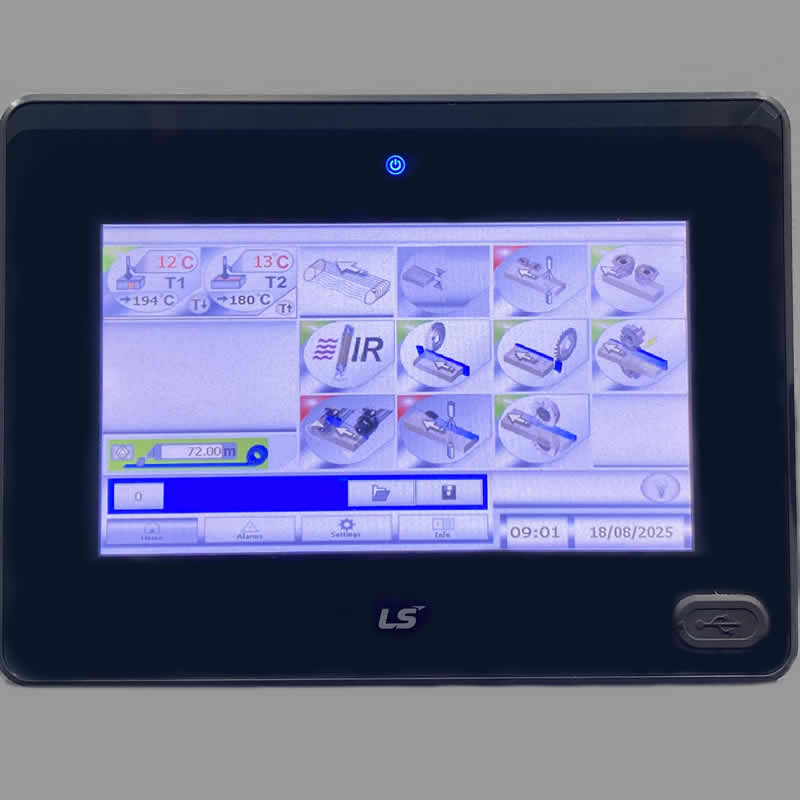
Touch Screen Controller
Modern NikMann edgebanders are equipped with an intuitive Touch Screen Controller designed to simplify operation and maximise efficiency. Key functions include:
- ✅ Temperature Control: Set and monitor the glue pot temperature to match EVA or PUR adhesives;
- ✅ Unit Activation/Deactivation: Easily switch on or off specific units such as pre-milling, gluing, end trimming, top/bottom trimming, scraping, and buffing;
- ✅ Speed Adjustment: Control the feed speed to suit different materials and production requirements;
- ✅ Diagnostics & Alerts: Monitor machine status, view error codes, and receive alerts for maintenance or troubleshooting;
- ✅ Safety & Lock Functions: Built-in protections prevent unauthorised access and ensure operator safety.
⚡ Advantage: The touch screen controller makes operating an edgebander faster, more accurate, and user-friendly, especially in high-production environments.
Adjusting the Glue Roller Temperature:
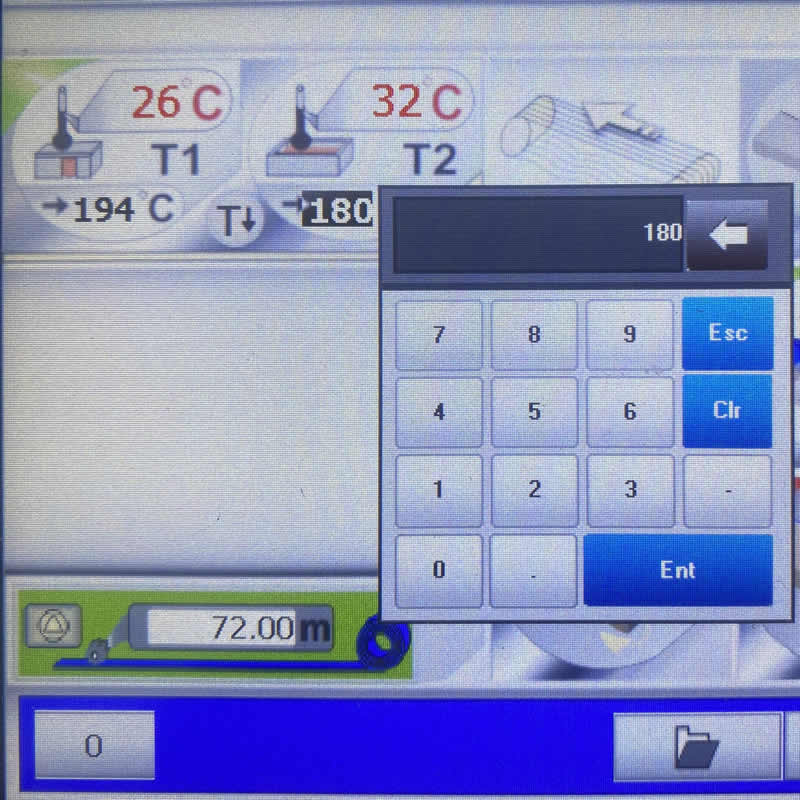
- ✅ Access the Control Panel: On your NikMann edgebander, locate the temperature control on the operator’s panel or touchscreen (depending on the model);
- ✅ Check the Current Setting: The display will show the current glue pot temperature;
- ✅ Adjust the Temperature: Input the desired value and press ENTER;
- ✅ Wait for Stabilisation: The machine will begin heating up or cooling down. Allow a few minutes for the glue pot to reach the new set temperature before resuming operation;
- ✅ Follow Manufacturer’s Guidelines: Always set the temperature according to the adhesive manufacturer’s recommendations (typically 180–200°C for EVA glue and 120–140°C for PUR glue) to ensure proper bonding without burning or damaging the glue.
⚠️ Tip: Running the glue pot too hot can cause glue degradation and carbon build-up, while too low a temperature may result in poor adhesion.
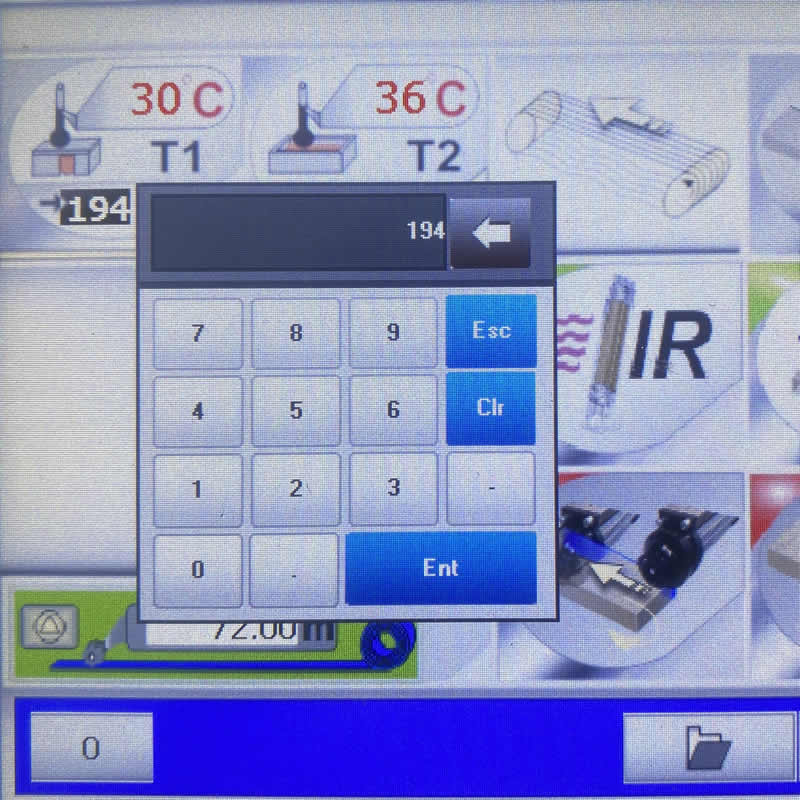
Adjusting the Glue Pot Temperature:
- ✅ Access the Control Panel: Locate the temperature settings on the operator’s panel or touchscreen (depending on your NikMann edgebander model);
- ✅ Verify Current Setting: The display will indicate the current glue roller temperature;
- ✅ Set the Desired Temperature: Enter the required value and confirm by pressing ENTER;
- ✅ Allow Stabilisation: The machine will heat or cool accordingly. Wait a few minutes until the glue pot reaches the new temperature before continuing operation;
- ✅ Follow Manufacturer Guidelines: Always set the temperature according to the adhesive specifications: typically 180–200°C for EVA glue and 120–140°C for PUR glue. This ensures proper bonding without overheating or damaging the glue.
⚠️ Tip: Excessive heat can cause glue degradation and carbon build-up, while insufficient temperature may lead to poor adhesion.
🎥 Want to see it in action?
Check out our YouTube channel for a step-by-step guide on HOW TO CHANGE THE GLUE POT TEMPERATURE on NikMann edgebanders with a touch screen controller. Our video tutorials make it simple to follow along, ensuring you set the correct temperature for perfect edge bonding every time.
👉 Subscribe for more tips, maintenance guides, and expert advice on getting the best performance from your woodworking machinery.