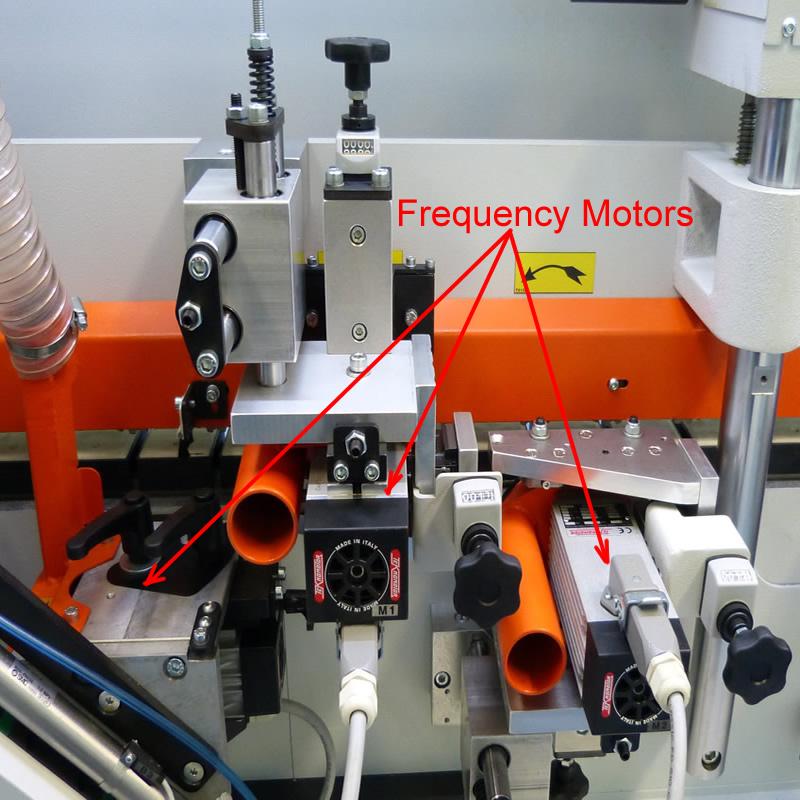
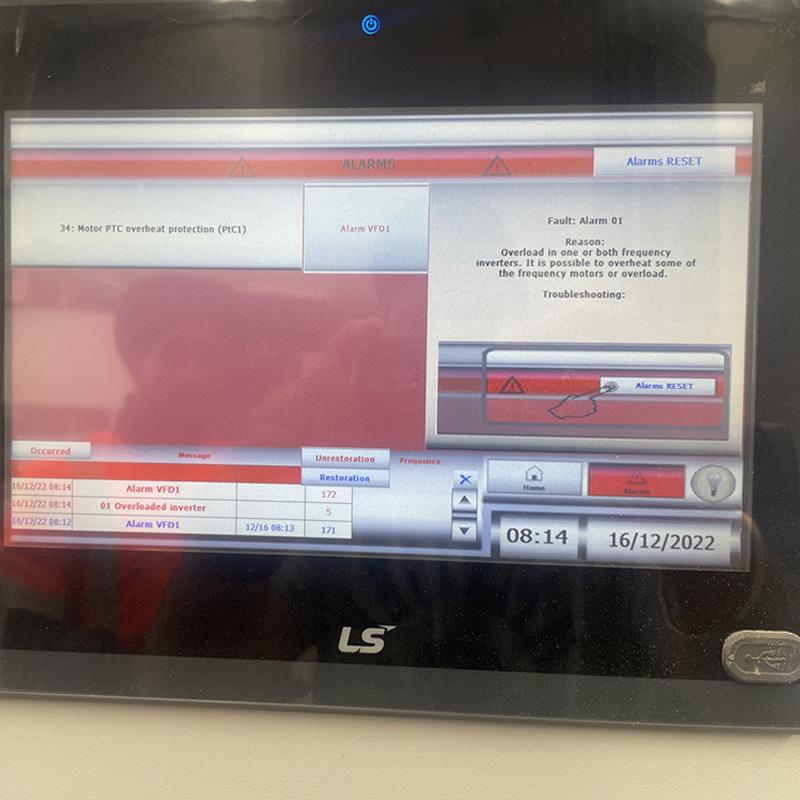
ALARM - 1 (Motor PTC Overheat Protection) on NikMann edgebanders indicates that a motor has overheated based on its PTC (Positive Temperature Coefficient) sensor feedback.

🔍 What the Alarm Means:

  • PTC sensors are built into motors to monitor their temperature.

  • If the motor exceeds a safe temperature threshold, the PLC (Vision controller programmed in VisiLogic) detects the high resistance from the PTC and triggers Alarm 1.

  • This prevents damage to the motor by stopping operation until it cools down or the issue is resolved.
✅ How to Troubleshoot & Reset Alarm - 1:

1.Let the Motor Cool Down

  • Power off the machine and allow the motor to cool for at least 15–30 minutes.

  • Check if the ambient temperature or duty cycle is too high.

2.Check for Mechanical Blockage or Overload

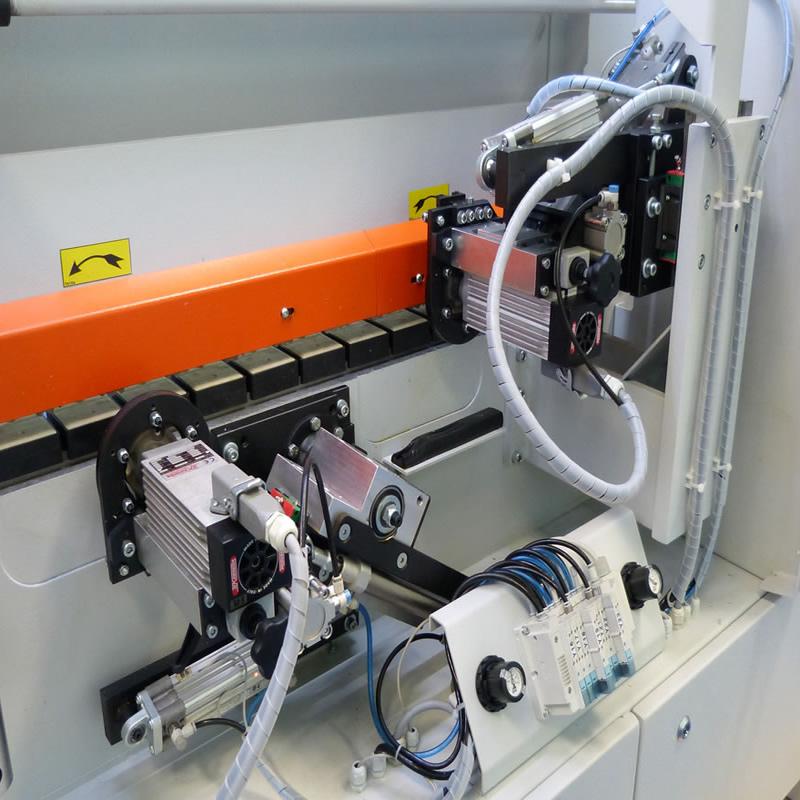
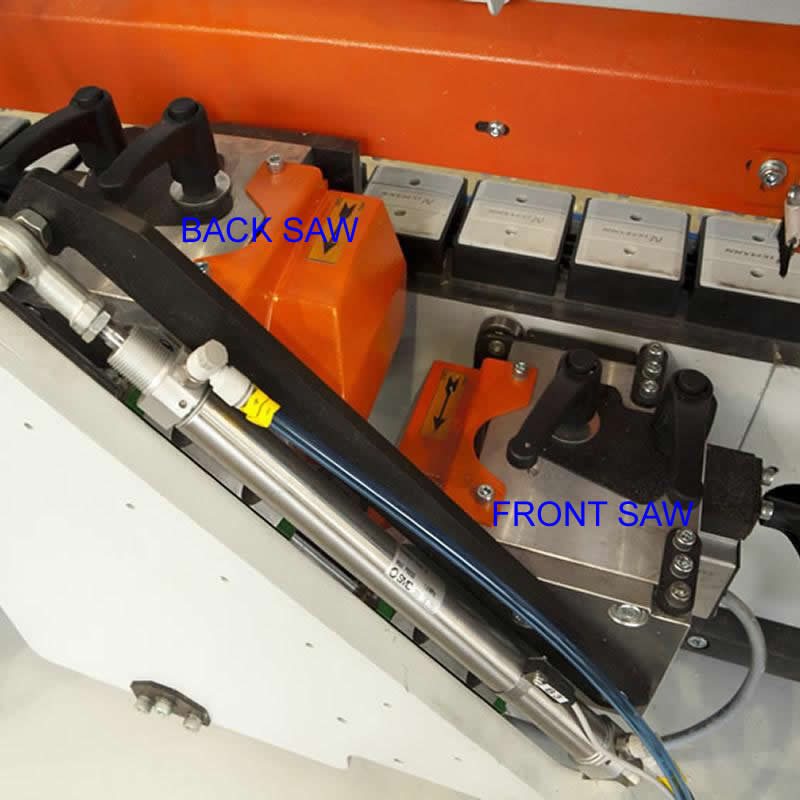
  • Inspect the motor connected to the alarm (e.g., glue unit, milling, trimming motor).

  • Look for signs of:

    • Jammed tooling

    • Binding bearings

    • Glue buildup

    • Over-tensioned belts or feed chains

3.Inspect Cooling Fans and Airflow

  • Ensure cooling fans are working and air inlets are not blocked by dust or debris.

4.Check the Motor’s Power Supply

  • Fluctuations or drops in voltage can lead to motor overheating.

  • Check connections for looseness or signs of arcing.

5.Read the Alarm via the HMI (Vision Controller)

  • Navigate to the alarm log or diagnostics page on the integrated HMI panel.

  • Identify which motor triggered the PTC alarm.

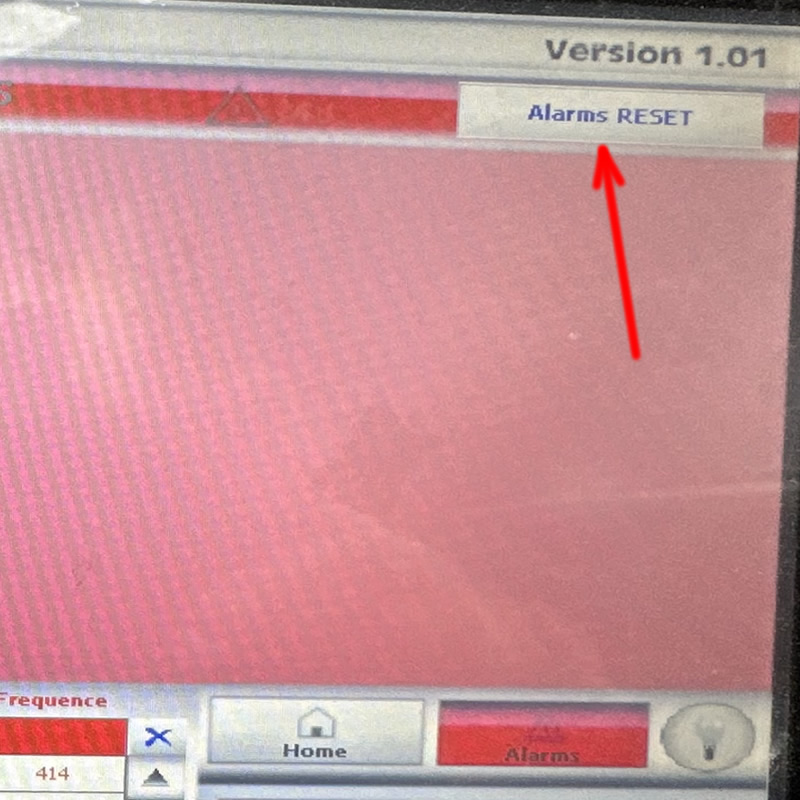
6.Reset the Alarm

  • Once the cause is corrected and the motor has cooled:

    • Use the HMI to acknowledge or reset the alarm.

    • Some models require power cycling the machine to fully clear the error.

🧰 Preventative Tips:

  • Perform regular cleaning and motor maintenance.

  • Avoid excessive load or extended continuous use beyond rated capacity.

  • Ensure proper ventilation inside the electrical cabinet and motor covers.

  • Keep the machine in a temperature-controlled environment if possible.